ATS Resume Help
ATS Resume Help: Build a Resume the System Can Read
The most dangerous resume problem is the one you cannot see. Your PDF may look perfect on screen while its text arrives out of order, its contact details disappear, or its strongest skills never reach the recruiter’s search results.

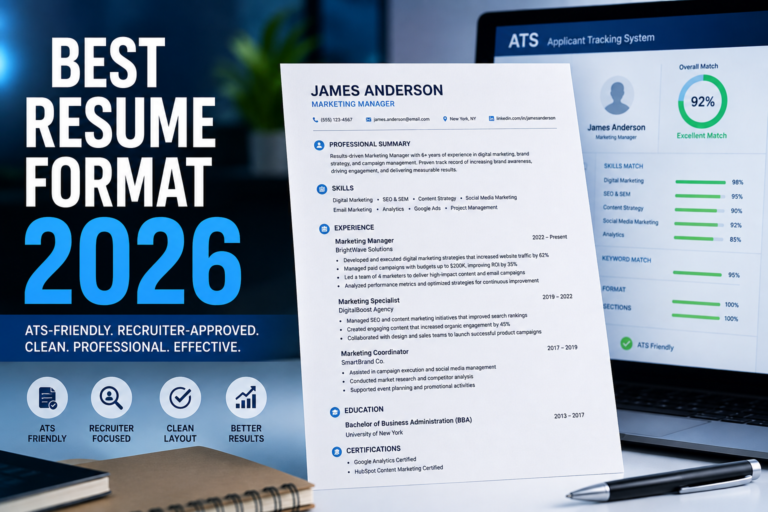
An applicant tracking system, or ATS, helps employers collect, organize, search, and review applications. Different platforms behave differently, so nobody can promise one universal score or guaranteed pass. You can, however, reduce avoidable parsing problems and make your qualifications easier to find.
The goal is not to trick software. It is to create a document that communicates the same evidence to a parser and a human reader.
What an ATS actually needs from your resume
Most systems attempt to extract structured information such as your name, contact details, job titles, employers, dates, education, certifications, and skills. Recruiters may then search or filter that information using requirements from the job description.
This explains why clarity matters. A heading called “My Journey” may feel distinctive, but “Work Experience” tells both the software and recruiter exactly what follows. Current guidance from Indeed and Harvard career services similarly emphasizes basic formatting, explicit skills, standard labels, and keywords used in context.
Six changes that make a resume easier to parse
Use a logical reading order
A clean single-column layout is the safest default. If you use columns, export the file and confirm that copied text reads in the intended sequence rather than jumping between sections.
Choose standard section headings
Use recognizable labels such as Professional Summary, Work Experience, Education, Skills, and Certifications. Creative headings create unnecessary interpretation.
Keep essential details in the document body
Do not place your email address, phone number, or target title only inside a header, footer, graphic, or image. Important information should remain selectable text.
Use consistent dates
Choose one format, such as “Jan 2023 – Mar 2026,” and apply it throughout. Include month and year unless an application gives different instructions.
Replace decorative skill bars
A bar showing “85% project management” has no shared meaning. Name the skill and prove it inside an accomplishment connected to scope or results.
Use ordinary bullets and readable fonts
Standard bullets, sensible spacing, and familiar fonts help both audiences scan quickly. Avoid tiny text added only to force everything onto one page.

Resume keywords need evidence, not repetition
Start with the job description. Highlight required tools, certifications, responsibilities, technical skills, and job-title language that genuinely match your background. Then place those terms where they make sense: the summary, skills section, and accomplishment bullets.
Context is stronger than a keyword pile. “SQL” in a skills list confirms familiarity. “Built SQL dashboards that reduced weekly reporting time by six hours” shows how the skill was used and why it mattered.
Use both an acronym and its full version when a qualification is important and both forms are common, such as “Project Management Professional (PMP).” Never add a keyword for a skill you do not possess. Tailoring means selecting relevant truth, not manufacturing a match.
PDF or DOCX: which file should you submit?
| Format | Advantage | Risk | Best rule |
|---|---|---|---|
| DOCX | Widely parsed and editable | Formatting can shift between systems | Use when requested |
| Text-based PDF | Preserves visual layout | Layered or image-only PDFs may parse poorly | Use when accepted and test the text |
There is no honest universal answer. Some career resources prefer DOCX, while others accept a text-based PDF. The job posting wins. Submit the requested format. If no preference is stated, use a clean DOCX or a text-based PDF whose content remains selectable and correctly ordered.
Run this plain-text test before you apply
Open the final file, select all text, and paste it into a plain-text editor. Read from the top. Is your name first? Do headings appear before the correct content? Are employers, titles, and dates paired properly? Did symbols turn into noise? If the result looks scrambled, simplify the source document and export again.
This is not a complete simulation of every ATS, but it catches an important class of preventable problems. Also proofread the actual application form after upload. If the employer’s system populates fields incorrectly, fix them before submitting.
ATS resume checklist
- Target title matches the role when accurate.
- Standard headings identify each section.
- Contact information is selectable text in the body.
- Relevant keywords appear naturally and truthfully.
- Achievement bullets include context and outcomes.
- Dates follow one consistent format.
- Graphics do not contain essential information.
- The file type follows the job posting.
- Plain-text reading order has been checked.
- The application form is reviewed before submission.
For more structure guidance, visit our resume types and formats hub. Once your resume earns an interview, continue with the interview preparation guides.
Frequently asked questions
What does ATS-friendly mean?
It means the resume uses a structure and text layer that an applicant tracking system can parse with fewer avoidable errors. It does not mean guaranteed ranking, recruiter approval, or employment.
Can ATS read Canva resumes?
It depends on the exported document. A Canva resume may work when the text remains selectable and the reading order is logical. Highly layered designs, text boxes, graphics, and image-based text introduce more risk.
Do two-column resumes always fail ATS?
No. ATS platforms vary, and some parse columns successfully. However, columns can create reading-order problems in certain exports. A single-column layout is the safer default when compatibility is the priority.
Should I repeat keywords several times?
Use important terms naturally where they describe real qualifications. Include them in context within the summary, skills, and experience sections. Repetition without evidence can weaken readability and does not prove competence.
Can I use the same resume for every application?
Keep a master resume, but tailor each submitted version. Adjust the title, summary, selected skills, and strongest bullets to reflect the truthful overlap between your background and the specific role.
Editorial standard: This guide was reviewed against current guidance from Indeed, Harvard’s Mignone Center for Career Success, and the University of Pennsylvania Career Services. Individual ATS platforms and employer requirements vary.